
Email Course Day 1: Open your account and build your signup page
Free email course for filmmakers · Day 1 of 5
Open your account and build your signup page
By the end of today you'll have a live link people can use to follow your film. Everything on this page runs on Kit's free plan.
1Open your free Kit account
- Go to kitforcreators.com and sign up with your name and email.
- Kit asks a few questions about you and what you're making. Answer them however you like. Nothing you pick here locks you in.
- Check your inbox for Kit's confirmation email and click the link in it.
kitforcreators.com is my referral link. If you ever upgrade, Kit pays me a commission, and it costs you nothing extra.
2Two settings to do first
These take five minutes, and skipping them is the most common reason a first email doesn't send.
- Click Settings at the bottom of the left-hand menu, then Email.
- Under Mailing Address, add a physical mailing address. The law requires one at the bottom of every marketing email. A P.O. box works fine.
- Under the from-address section, click Add from address and add the email you want people to see your emails come from. Kit sends a confirmation to that address. Open it and click Verify your email.
3Start a new landing page
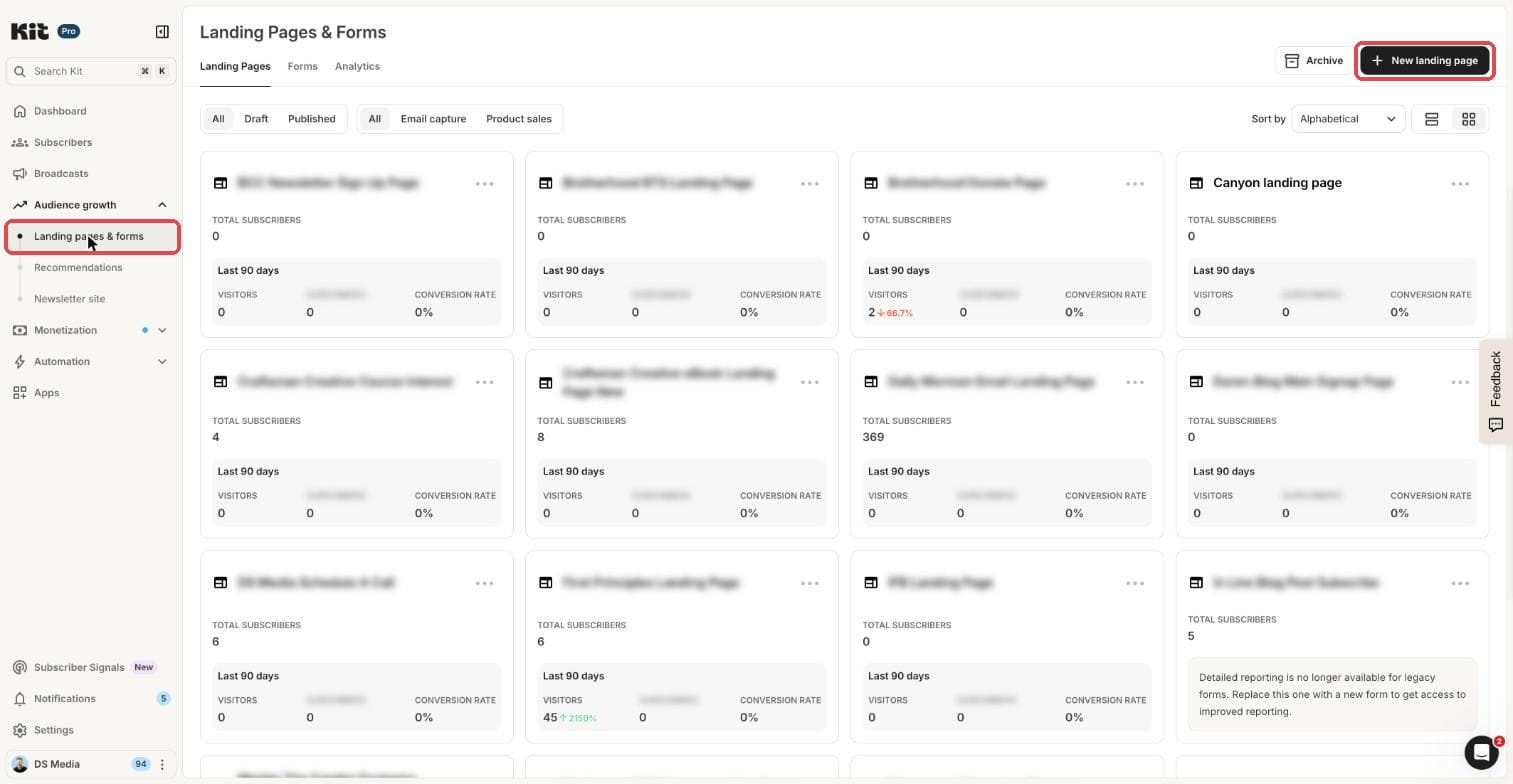
- In the left-hand menu, click Audience growth, then Landing pages & forms.
- Click the black + New landing page button at the top right.
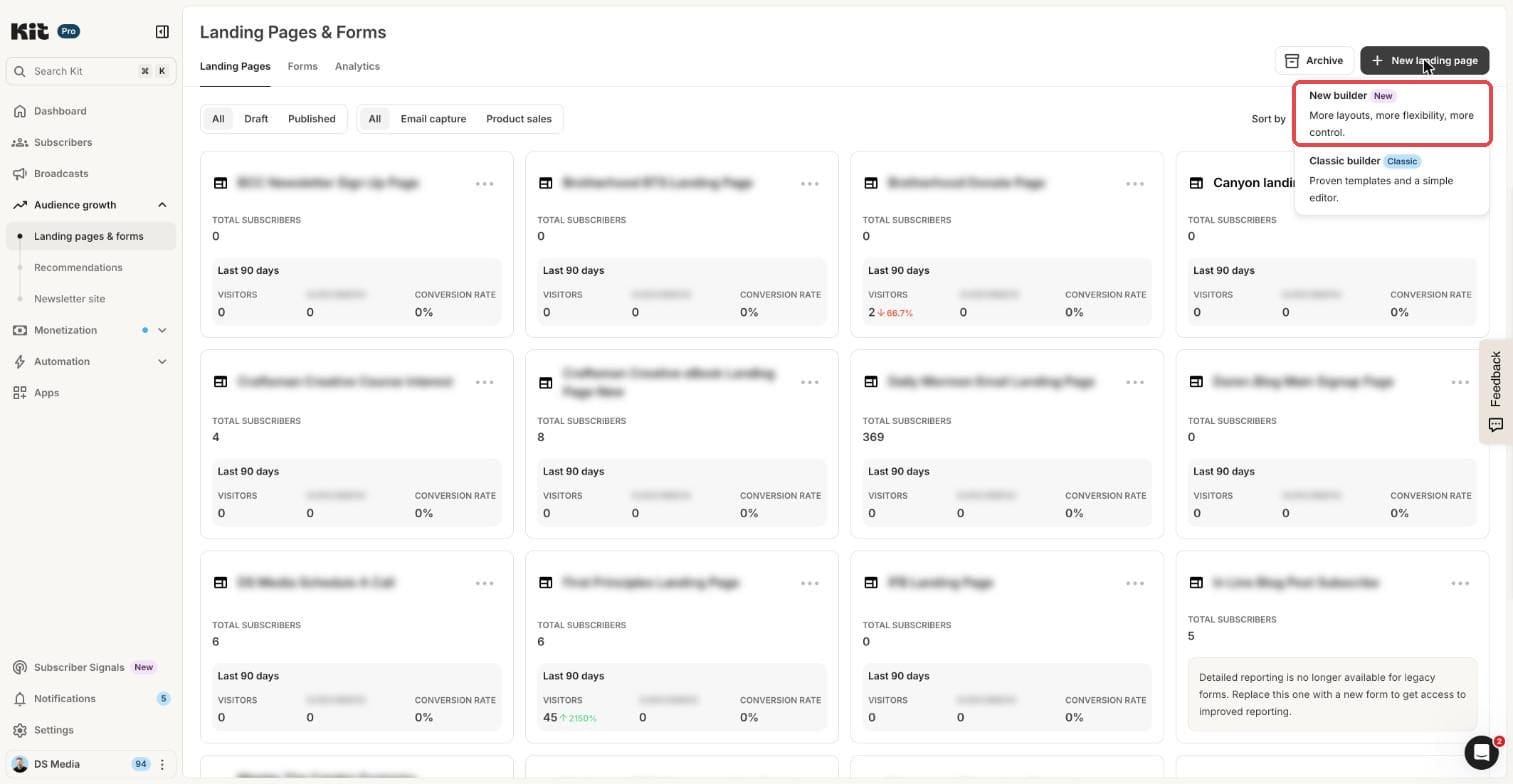
- A small menu opens. Choose New builder.
- You'll see a page of templates. Hover over one you like and click Use template. (Preview shows it on desktop and phone first.)
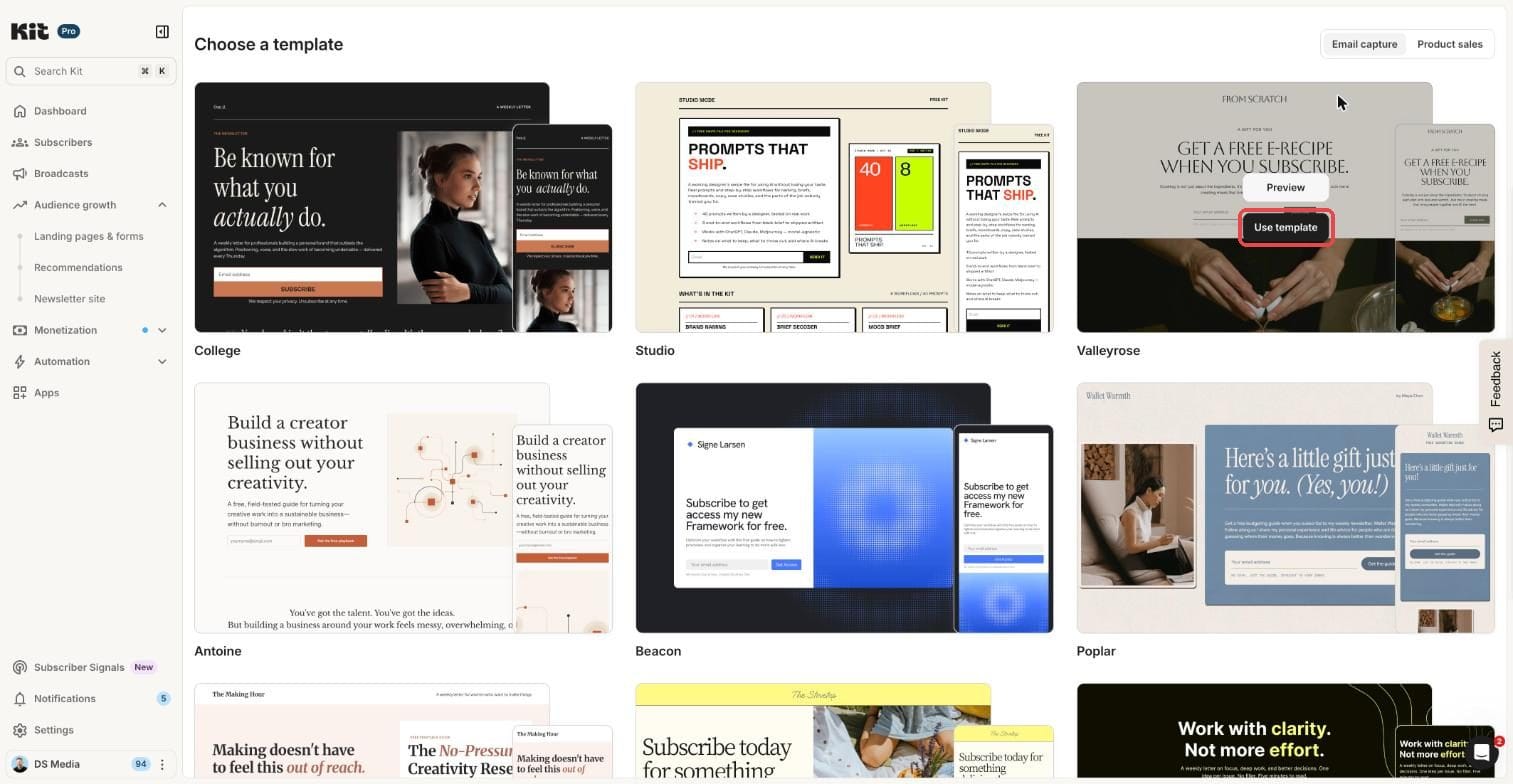
Pick carefully here: you can't switch templates later without starting a new page. But don't stress about fonts and colors. You can change those any time.
4Write the page
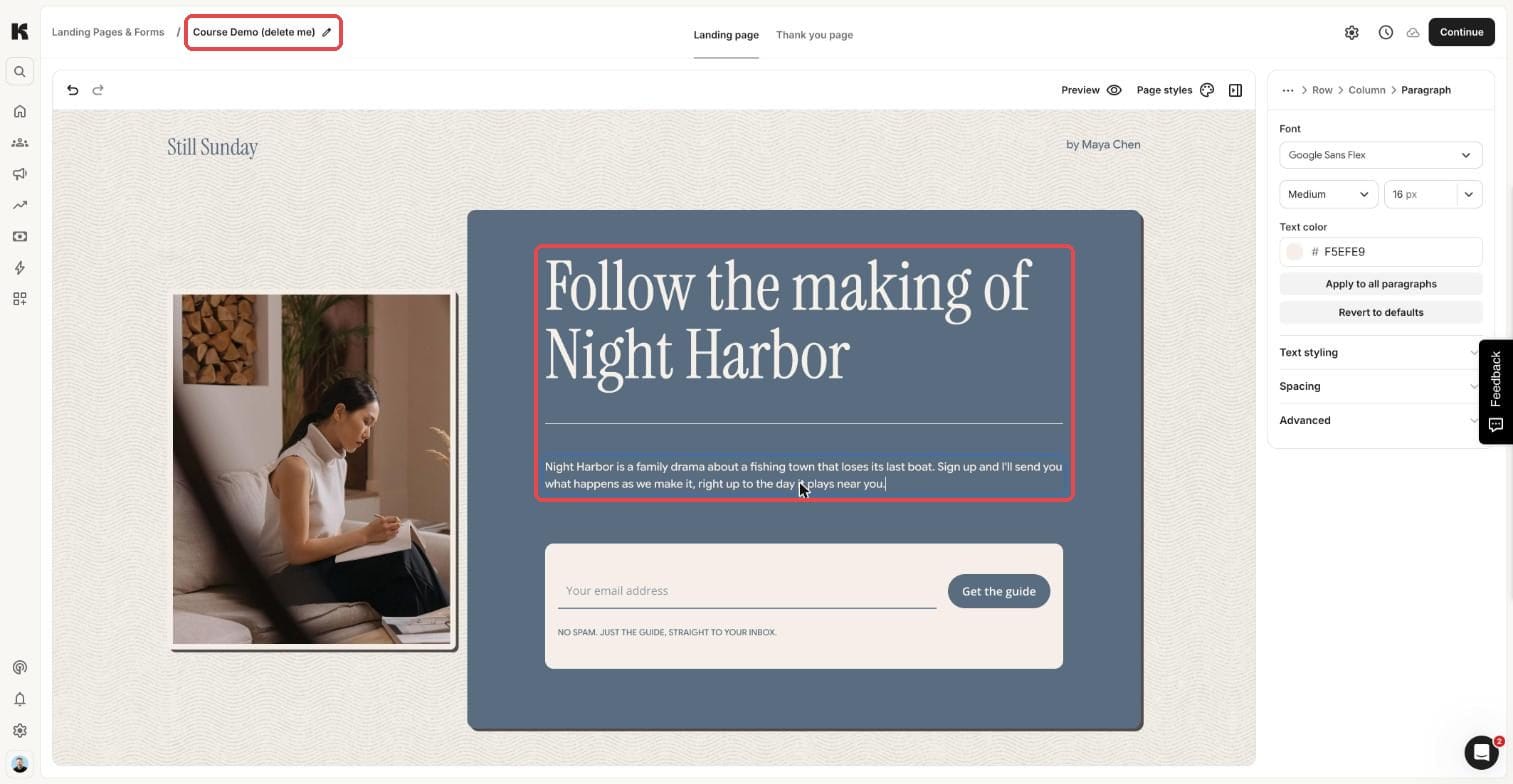
- Name it. Click the pencil icon next to "New landing page" at the top left, type your film's name, and press Enter. Only you see this name.
- Headline. Click the big headline on the page, select the text, and type your new one. Use the template below.
- Two sentences. Click the paragraph under the headline and replace it the same way.
- Button. Click the button, select its text, and type Follow along.
- Everything saves on its own. The little cloud icon at the top right shows when it last saved.
The template:
Headline: Follow the making of [Film Title]
Two sentences: [Film Title] is a [kind of film] about [what it's about, in one line]. Sign up and I'll send you what happens as we make it, right up to the day it plays near you.
Button: Follow along
The Claude prompt (paste it into Claude, then paste the template under it):
Rewrite this for my film. Here's what it's about: [two sentences]. Keep it warm and plain, no hype.
No film yet? That's OK. Make it "Follow along with [your name or company]" and add people with each new project.
5Publish it and copy your link
- Click Continue at the top right. This opens the Thank you page tab, where you choose what people see after they sign up. The default success message is fine for now.
- Click Publish at the top right.
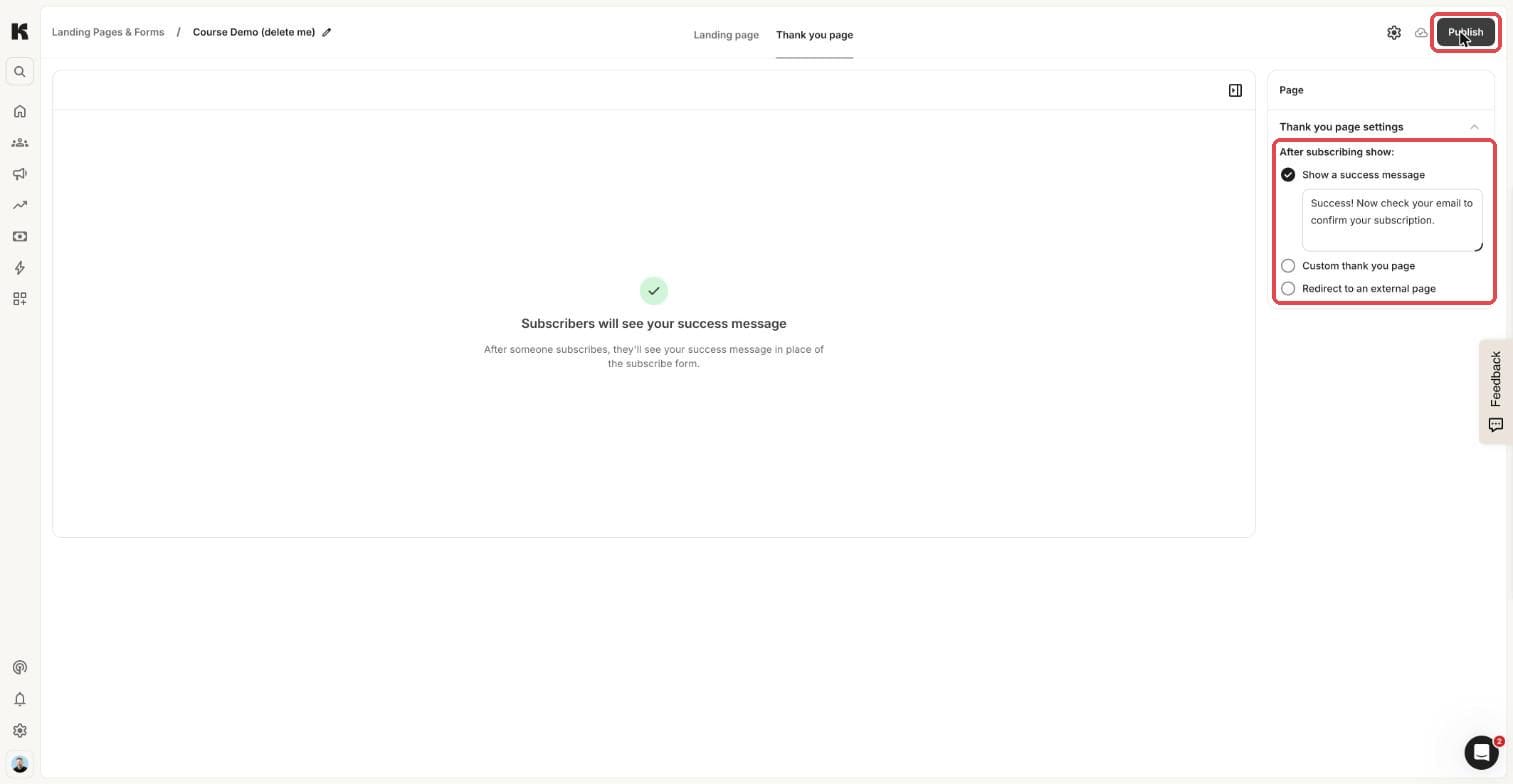
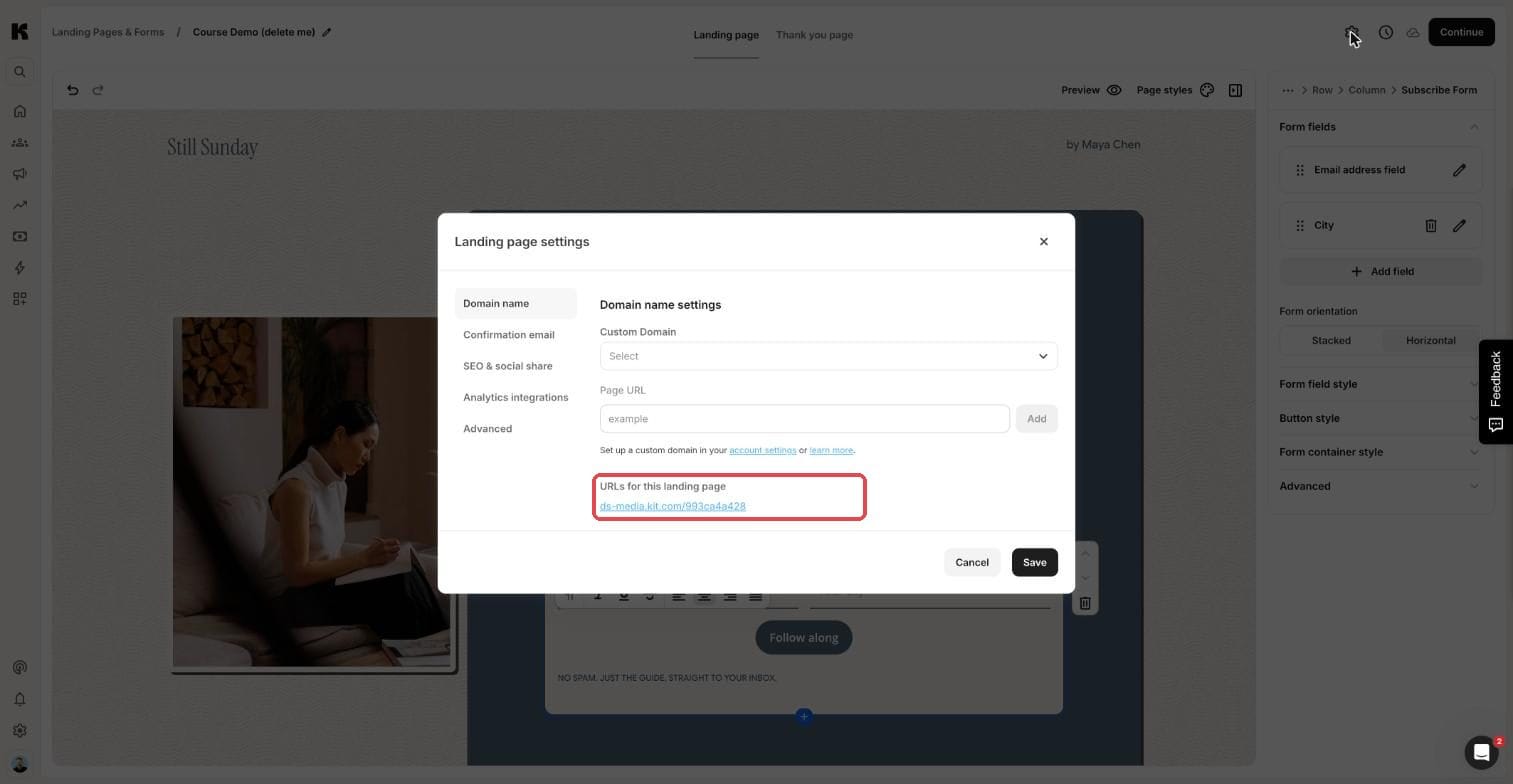
- Click the gear icon at the top right to open Landing page settings. Under Domain name, the link listed under URLs for this landing page is your signup link. Click it to open your live page, then copy the address.
- Optional: for a cleaner link, pick your kit.com domain under Custom Domain, type an ending like nightharbor in Page URL, click Add, then Save.
- Put that link in your Instagram bio (and anywhere else people find you) before you go to bed.
- Sign up on your own page with your own email, so you can see exactly what a new fan sees.
Done for today: a Kit account, a published signup page, and a link in your bio. Tomorrow you'll set it up so every person who signs up gets sorted the moment they arrive.
Not in the course yet? Start the free 5-day email course. kitforcreators.com is my referral link. If you ever upgrade, Kit pays me a commission, and it costs you nothing extra.