
Email Course Day 2: Sort every signup from day one
Free email course for filmmakers · Day 2 of 5
Sort every signup from day one
Today you'll make tags and a City field, and add both to your signup page, so you always know who someone is and where they live. Still on Kit's free plan.
Tags vs. custom fields. A tag is a label you can put on many people (Fan, Investor). A custom field is a blank each person fills in for themselves (their city). You'll use both today.
1Create your tags
- Click Subscribers in the left-hand menu.
- On the right side of the page, find All Tags and click the black + next to it.
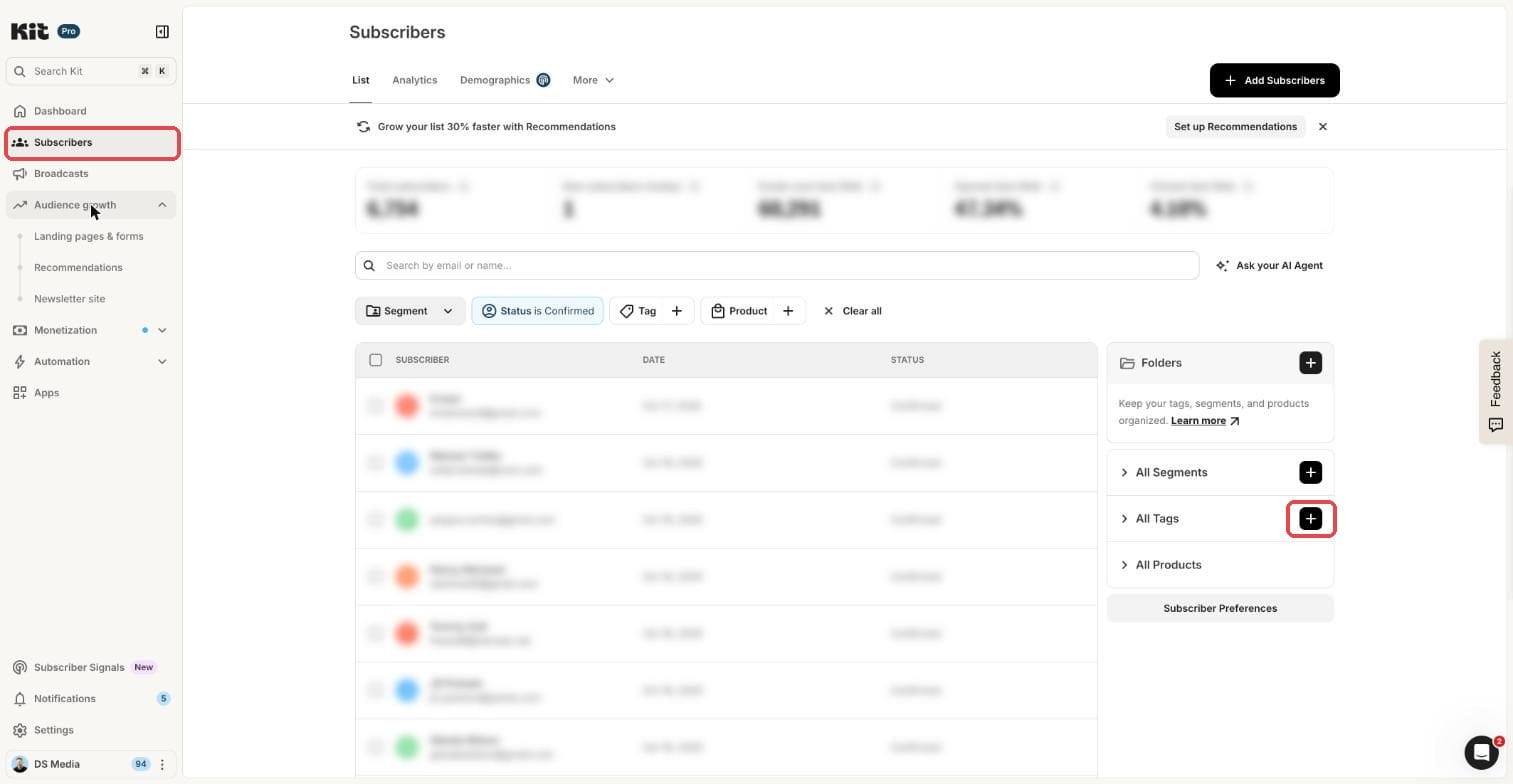
- Type the first tag name from the list below and click Save.
- Repeat for every tag on the list. Copy the names exactly. Matching names keep everything tidy later.

The tags to create:
Interest - Fan
Interest - Cast and Crew
Interest - Investor
Interest - Press
Source - Bio Link
Source - Screening
The two Source tags get switched on tomorrow, once you have automations.
2Create a City custom field
Custom fields live on each subscriber's profile. You only need one subscriber to create one, and that can be you (you signed up on your own page yesterday).
- Click Subscribers, then click your own name in the list.
- On the left side of your profile, find Custom Fields and click the three dots (⋮) next to it.
- Click Add new, type City in Field name, and click Add field.
A new custom field gets added to every subscriber in your account at once. That's what you want: every person now has a City blank.
3Add the City field to your signup page
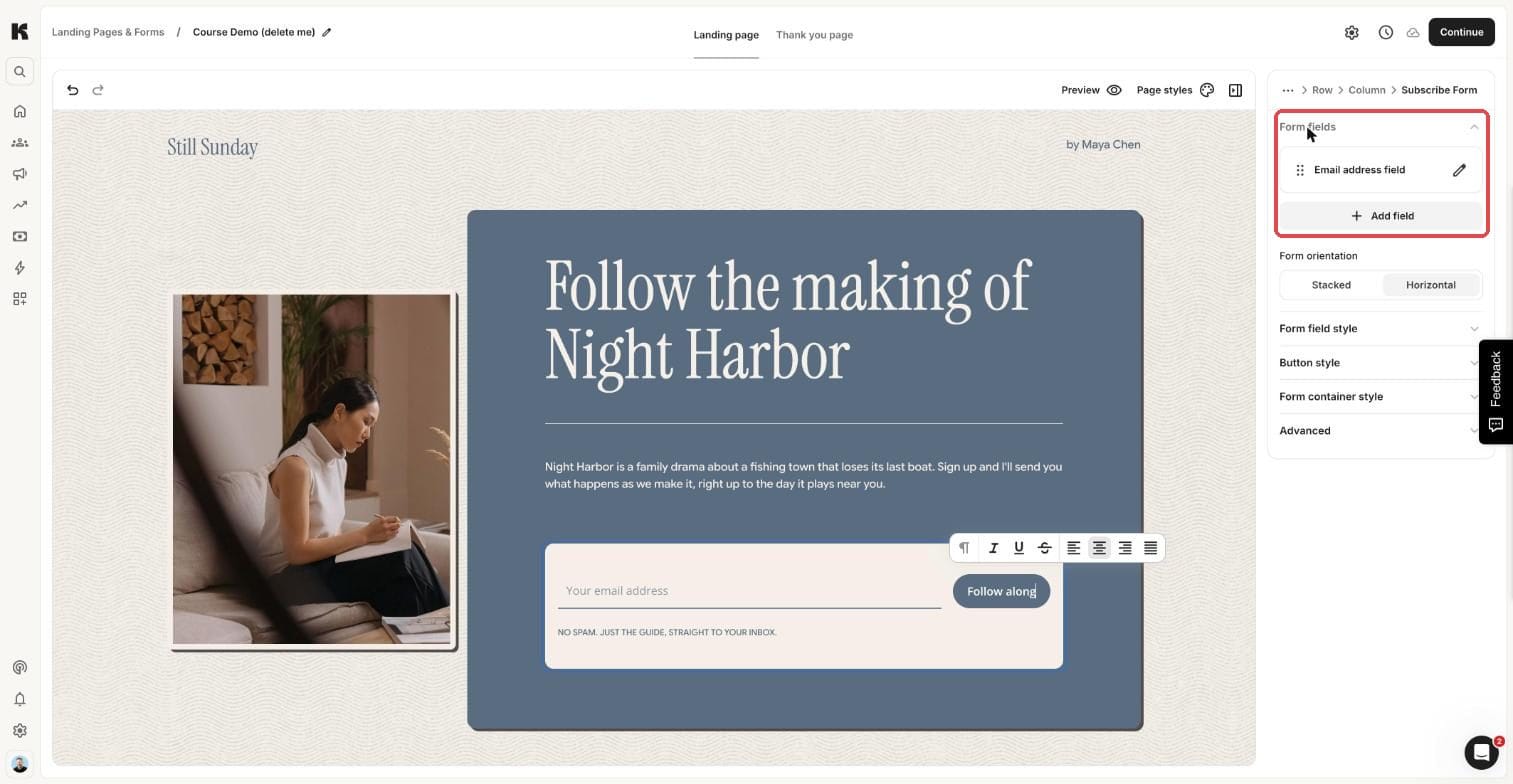
- Go to Audience growth, then Landing pages & forms, and click your page to open it.
- Click the signup form on the page (the box with the email field). The right-hand panel switches to the form's settings.
- Open Form fields and click + Add field.
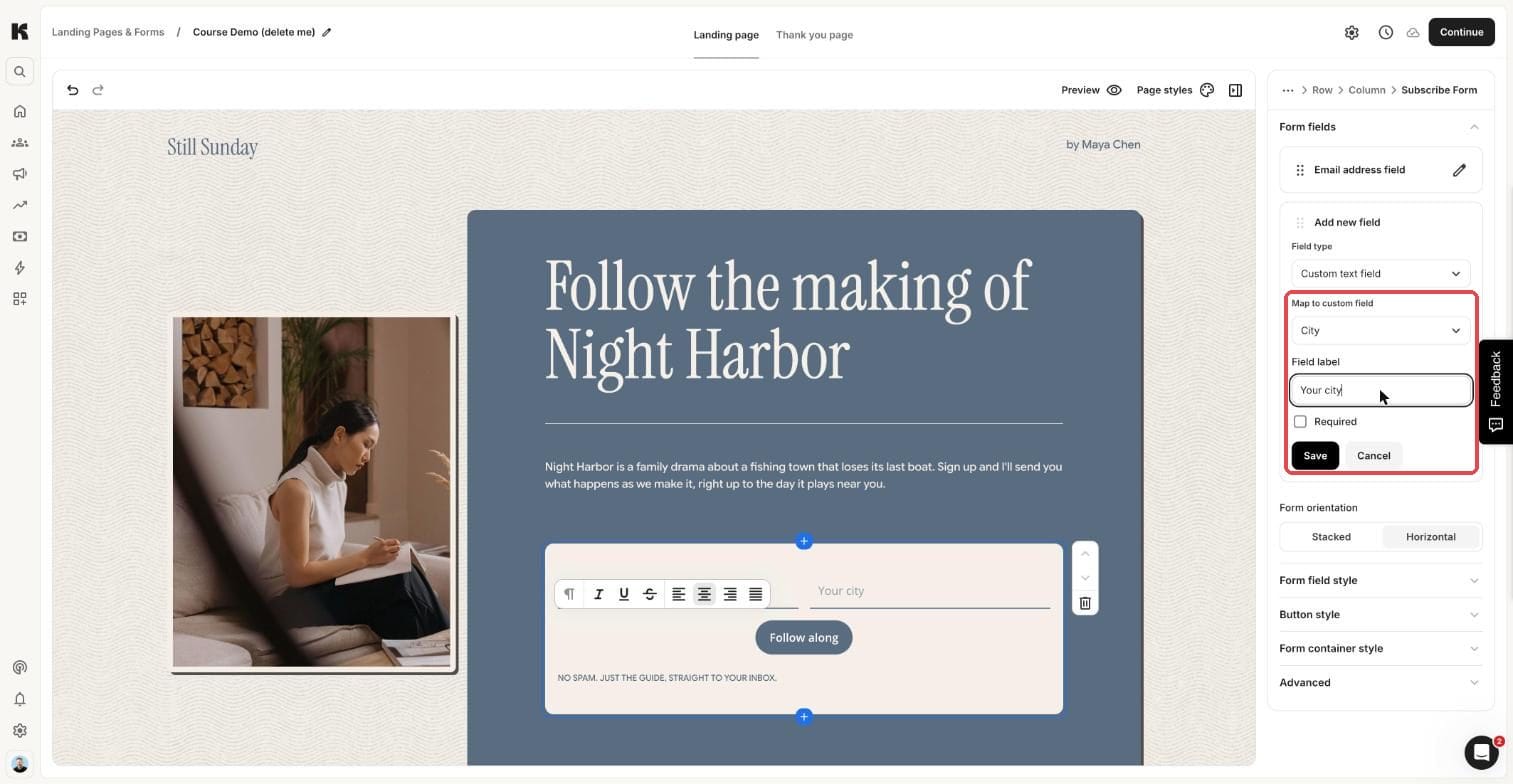
- Under Field type, choose Custom text field.

- Under Map to custom field, choose City.
- Under Field label, type what people see in the box, like Your city.
- Leave Required unticked. A shorter form gets more signups.
- Click Save.
4Let people tell you why they're here
- Still in Form fields, click + Add field again.
- Under Field type, choose Multi-select checkboxes.
- Under Map to tags, pick your four Interest tags.
- Under Field label, type the question people see. Use the one below.
- Click Save.

Why are you following along?
Whatever someone ticks becomes a tag on them automatically, on the free plan.
5Publish and test
- Click Continue, then Publish, the same as yesterday. Visitors don't see changes until you publish.
- Open your signup link on your phone. Sign up with a second email address of yours, type a city, and tick Fan.
- Back in Kit, click Subscribers and open that new subscriber. You should see the Interest - Fan tag and the city you typed.
The Claude prompt for today:
Here's what my film is about: [two sentences]. List ten specific places this film's first fans will come from, and suggest a short Source tag name for each one.
Done for today: tags, a City field, and a signup page that sorts people as they arrive. Tomorrow is the welcome sequence, the one paid step in this course. I'll be straight with you about what it costs.
Not in the course yet? Start the free 5-day email course. kitforcreators.com is my referral link. If you ever upgrade, Kit pays me a commission, and it costs you nothing extra.